
How to make a QR code menu for your restaurant
Updated 31 October 2026
The short answer
Add your dishes to a digital menu, create a QR code for each table, print the codes, and scan one yourself before you open. You do not need a designer or any new equipment.
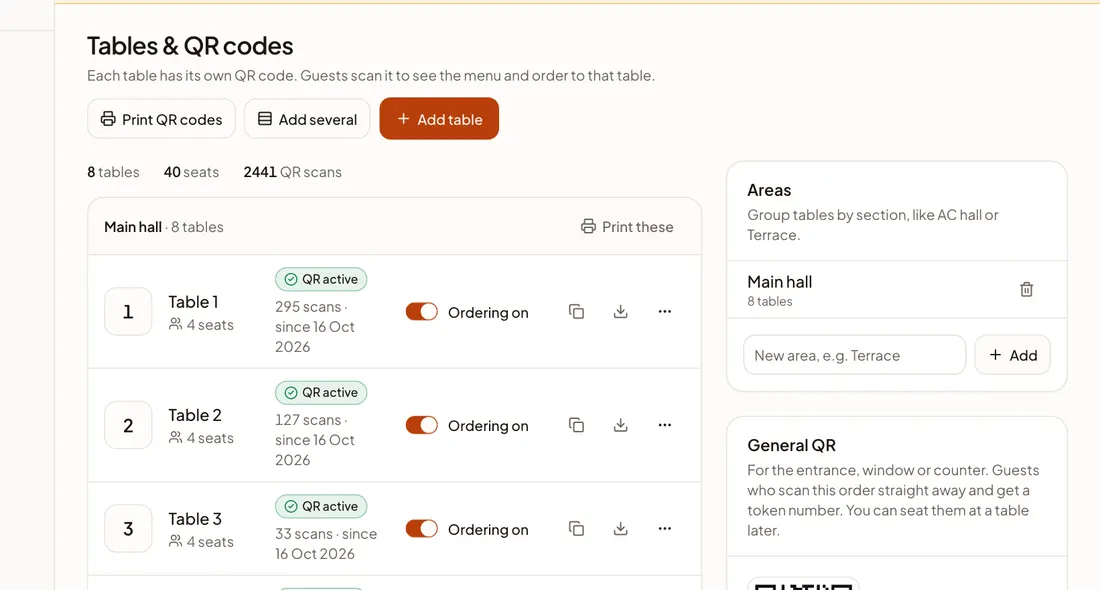
What you need
- Your current menu, on paper or in a file.
- A phone or a computer.
- A printer, or a local print shop for the QR codes.
The steps
- 1Create your account and enter your restaurant’s name and city.
- 2Add your dishes. Photograph your printed menu or upload a PDF, and the dishes and prices fill in by themselves. You can also type them in.
- 3Read through the menu and correct anything that is wrong. Check every price: you know your menu best.
- 4Add your tables. Each table gets its own QR code, so you always know where an order came from.
- 5Print the codes and place them on the tables.
- 6Scan one with your own phone and go through the menu like a guest, then go live.
Getting the printing right
- Do not print the code too small. Test it from where a guest would sit.
- Print on thick card or use a table stand, so it survives spills and wiping.
- Add a few words beside the code, such as “Scan to see the menu”.
- Keep a printed spare of every code in case one is damaged.
Mistakes to avoid
- Going live without scanning a code yourself.
- Leaving out prices or sizes, which only creates questions at the table.
- Placing a code where a guest’s plate or a menu stand will cover it.
You can start with the free Menu plan. Turn on table ordering later, if and when you want it.
Try it free