
Best Digital Menu Makers for Restaurants
By Dinebo team · Published · 3 min read
The short answer
The best one is the tool you’ll really keep up to date. For most small restaurants that means a menu you can edit from your phone, a link that never changes, and a low cost. Try any tool on your own menu before you print anything.
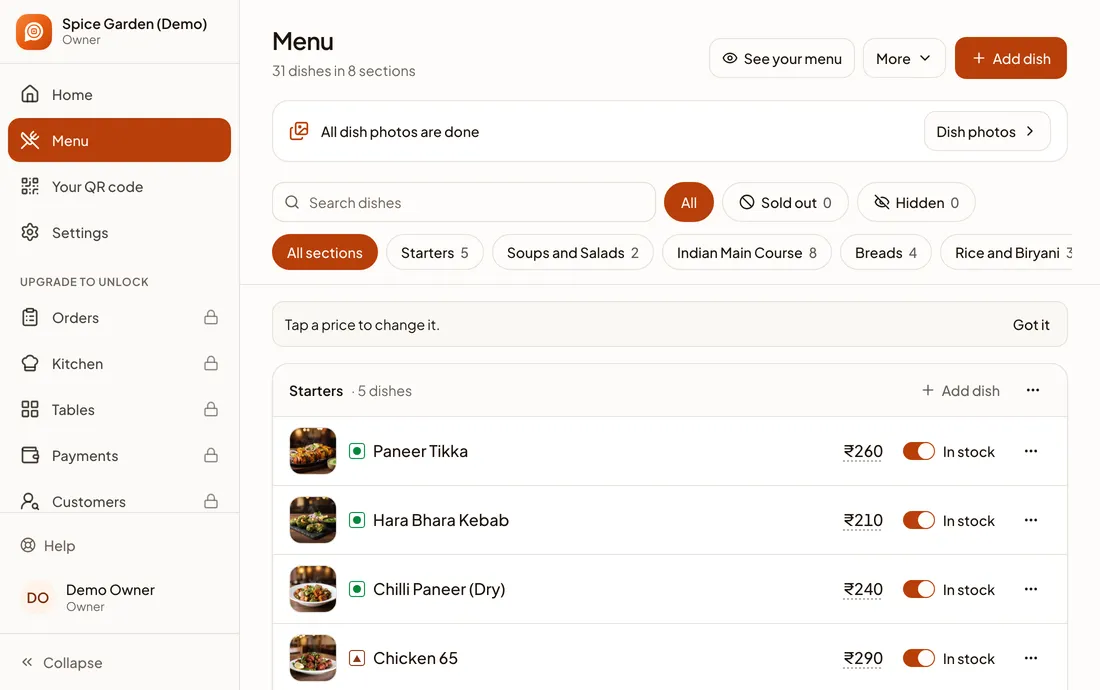
A note on this guide
We make Dinebo, so we’re not neutral. That’s why this isn’t a ranked list with star ratings: we haven’t tested every product, and prices and features change quickly. Instead, here’s how to judge any tool yourself, ours included.
The main types of tool
| Type | Suits | Downside |
|---|---|---|
| PDF on your website | A menu that rarely changes | Hard to read on a phone, and you replace the file each time |
| Website builder page | Restaurants with a site they already update | You build and maintain the page yourself |
| Google’s menu editor | Showing dishes on your Google profile | Only works on Google, so you still need a menu elsewhere |
| Digital menu tool | Most small restaurants and cafés | Check the costs and what’s included on the free plan |
| Till or POS system’s menu | Places already using that system | Can cost more, and ties your menu to that system |
Eight things to check
- Changing a price: how many taps does it take on your phone? Try it. This is what you’ll do most.
- Getting started: can it read your existing menu, or will you type every dish?
- The guest’s view: open it on a cheap phone on mobile data. Is it fast and easy to read?
- The link: does the address stay the same forever, so your printed codes keep working?
- Your menu’s details: does it handle half and full portions, extras and veg marks, if you need them?
- Your brand: can you add your logo and choose a look? Is the tool’s own branding acceptable to you?
- True cost: what’s free, what’s paid, and does anyone take a percentage of your orders?
- Leaving: can you get your dishes out if you switch one day?
Try it with your real menu
Demos always look good because they use tidy menus. Your menu is the real test, so spend 30 minutes on this before deciding:
- Step 1: Add your real menu, including your longest dish name.
- Step 2: Change three prices on your phone and time it.
- Step 3: Mark a dish as sold out.
- Step 4: Open the menu on a friend’s phone with a QR code you’ve printed at the real size.
- Step 5: Ask someone who’s never seen it to find a vegetarian starter.
Be wary of any tool that has you print hundreds of codes before you’ve tried a price change.
Questions to ask before paying
- What happens to my printed QR codes if I stop paying?
- Do you charge a commission on orders?
- Who owns my customers’ details?
- How do I reach a real person when something breaks?
- Is the price per restaurant, per month, or per order?
Where Dinebo fits
Dinebo is built for small restaurants that want a good menu without a big setup. Here’s what it does today, so you can compare it fairly:
- Free forever: a digital menu with one link and one QR code, made from a photo or PDF of your menu, with dish photos, sizes, extras and veg marks. You can see menu views per day too.
- Orders, $2 a month: guests order from their phones at your restaurant, with a kitchen screen, bills and payments. No commission.
- Growth, $5 a month: your customer list, campaigns and automatic offers.
Dinebo isn’t a fit for everyone. It doesn’t do delivery or manage stock. It has no sub-sections or separate menus that switch by time of day, and no shared menu across branches. If you need those, keep looking.