
How to Put Your Restaurant Menu on Instagram
By Dinebo team · Published · 3 min read
The short answer
Add your menu link to your Instagram profile: tap Edit profile, then Links, then Add link. Then point people to it from your stories with a link sticker, and keep a saved highlight so they can always find it.
Add your menu to your profile
This is the most important step, because your profile is where people go when they’re interested.
- Step 1: Tap Profile or your picture at the bottom right to go to your profile.
- Step 2: Tap Edit profile.
- Step 3: Tap Links, then Add link, and paste your menu’s address.
- Step 4: Tap Done.
You can add up to five links, and anyone can see them, on or off Instagram. Instagram says this works in the Android and iPhone apps, not on a computer.
Put your menu first. To change the order, go to Edit profile, then Links, open the options menu and tap Reorder links.
Get the link from your menu tool. In Dinebo, it’s under Your QR code, where you tap Copy link.
Write a bio that points to it
Your bio should say what you are, where you are and what to do next. Instagram gives you 150 characters. For example:
North Indian kitchen in Bengaluru. Open every day till 11. See today’s menu below.
Change the example to suit your restaurant, and keep your hours accurate so no one turns up to a closed door.
Share it in your stories
Stories can hold a tappable link, using a link sticker. It’s the easiest way to turn “that looks good” into someone reading your menu.
- Step 1: Start a new story with a photo or video of a dish.
- Step 2: Tap Stickers at the top and choose the link sticker.
- Step 3: Paste your menu’s address, and change the sticker’s words to something like “See the menu”.
- Step 4: Place the sticker where it’s easy to tap, away from the edges, and share.
Keep it in a highlight
Stories disappear after a day unless you save them. Save your best menu story to a highlight called “Menu”, and it stays on your profile. Visitors get a quick look at your food and a link they can tap.
What about posts and reels?
Links typed into ordinary post captions generally can’t be tapped, so don’t rely on them. Instead, make the post about the food and send people to your profile:
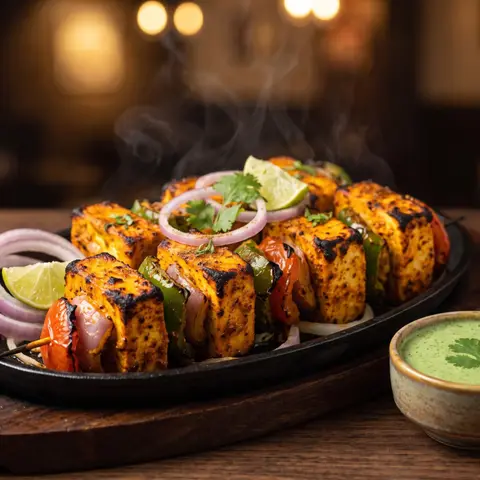
- “New on the menu: smoky paneer tikka. Menu link in our profile.”
- “Which would you pick? See the full menu through the link in our profile.”
- “Back in season. Prices and everything else are in the menu on our profile.”
Should you post a photo of your menu?
Think twice. A photo of a menu gets old as soon as a price changes, and it stays on your profile, where a new customer can find it months later. It’s also hard to read on a small screen.
If you want to show your menu in a post, make it a few pictures of your best dishes, then send people to the link. Your link always has the latest menu, and prices you change appear straight away.
Ideas for what to post
- A new dish, in natural light, on the day you add it.
- The dish your regulars order most.
- The cook making something by hand.
- A short “three things to try here” video.
- A seasonal special, with a story that links to the menu.
Use the same link everywhere else too, including WhatsApp and your Google profile. You’ll only ever have one menu to keep up to date.
Official pages we checked
These apps change their screens often. If a step looks different, their own page has the latest. Last checked 1 November 2026.